
 EN
EN ES
ES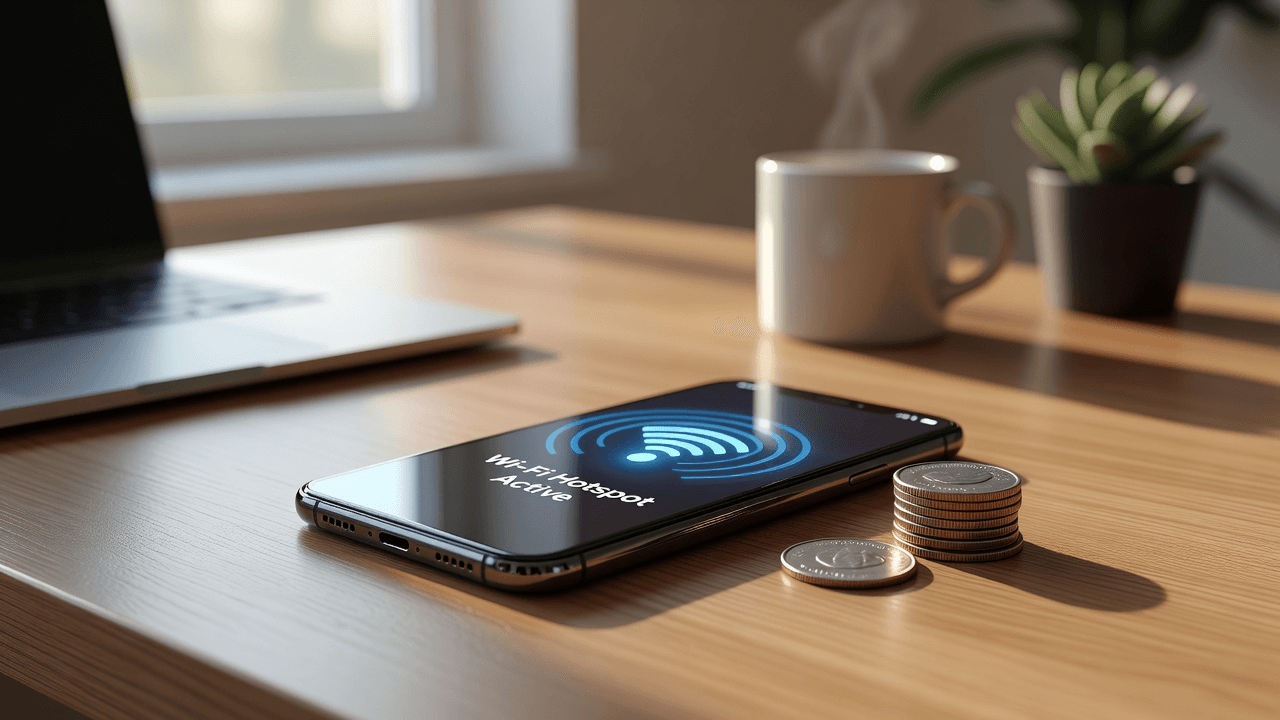
Yes, absolutely. When you activate your phone's mobile hotspot, you share your cellular connection with laptops, tablets, or other devices. Every action performed on those devices—browsing, streaming, or downloading files—uses data directly from your mobile plan. For international travelers concerned about roaming charges or data limits, understanding whether the hotspot uses data is essential to staying connected without overspending.
Blink eSIM offers an ideal solution with plans of Unlimited data in over 190 countries. You can activate it instantly before traveling, connect automatically upon arrival, and share internet affordably from a single eSIM, without the need for apps and conveniently managed through WhatsApp. This guide explains how hotspots work, why they can become expensive abroad, and how to make them more affordable.
What is a mobile hotspot and does the hotspot consume data?
A mobile hotspot turns your smartphone into a portable Wi-Fi router, allowing other devices to connect to the internet using your cellular data. So, does the hotspot use up data? Yes. It doesn't generate new data; it simply routes the traffic of connected devices through your phone's existing cellular connection.
The hotspot function itself uses very little additional data, but activities on laptops or tablets typically consume more than normal phone use due to background processes, larger screens, and desktop versions of websites. Keeping the hotspot on without connected devices uses almost no data, although it can drain the battery.
How much data does a hotspot actually use?
Hotspot data usage varies greatly depending on the activity:
- Light tasks such as email, web browsing and maps: 60–250 MB per hour
- Music streaming: 40–150 MB per hour
- Social media: 90 MB–1 GB per hour
- Video calls like Zoom in standard quality: 300–800 MB per hour
- HD video streaming: 1.2–3 GB per hour
- 4K streaming or heavy downloads: 3–8+ GB per hour
Laptops tend to consume more data due to automatic updates and cloud syncing. An hour of Netflix in HD can use up to 3 GB when shared across devices. Without unlimited access, this can quickly lead to additional charges or reduced speeds.
Why using a hotspot can be expensive abroad
International roaming turns the question of whether a hotspot uses data into a costly problem. Many carriers charge $10 to $20 or more per day or per GB, and in some cases, they restrict tethering. Furthermore, public Wi-Fi is often unreliable and insecure for important tasks such as booking appointments, work, or payments. With international internet allows you to stay securely connected and avoid unexpected charges during your trip.
Physical SIM cards require purchase at the airport, potential language barriers, and switching profiles on your phone. Furthermore, they don't always allow for easy internet sharing. Many travelers end up with unexpected charges after using the hotspot for browsing, family video calls, or remote work.
How to make your hotspot cheaper when traveling
Knowing how to save data using a hotspot starts with good planning:
- Choose unlimited data plans to avoid worrying about every GB consumed.
- Monitor your data usage regularly from your phone's data settings.
- Optimize your devices: lower video quality, disable automatic updates, and close background apps.
- Limit the number of connected devices and use strong passwords.
- Choose eSIMs with local rates instead of your usual operator's roaming.
It's also important to remember that sharing your internet connection uses data, especially when you connect laptops, tablets, or other devices that use desktop versions or automatically sync files.
Blink's unlimited eSIM plans, with aapproximate flat rate of $3.5 per day, They make sharing internet between multiple devices much more economical. A single eSIM can cover your travels without changing physical cards. Blink eSIM offers reliable connectivity and easy management via WhatsApp.
How to stay connected with Blink eSIM
Internet access is essential abroad for Google Maps, transportation, hotel bookings, translation apps, and communication. In these real-world scenarios, hotspots consume data, but Blink eSIM eliminates the hassle.
Roaming often brings unexpectedly high charges, while physical SIM cards involve queues, card changes, and hassles upon arrival. That's why many travelers now prefer the alternatives. Best international SIM cards for travel or eSIM solutions that offer instant, hassle-free connectivity.
Blink eSIM lets you activate your plan with a QR code before you fly, automatically connect upon landing, and effortlessly share unlimited data. No physical SIM or additional app is needed—just instant, affordable connectivity available in over 190 countries. Blink eSIM is the smarter choice for modern travelers who want reliable internet and unlimited hotspot access.
You can also better manage your mobile hotspot data by setting limits, disabling background processes, and using an unlimited eSIM to avoid overage charges.
Comparison: roaming vs physical SIM vs eSIM
| Option | Daily cost | Hotspot convenience | Data limits | Best for travelers |
|---|---|---|---|---|
| Roaming | High ($10+) | Often restricted or expensive | Surprise charges for excess | Short emergency use |
| Physical SIM | Half | Purchase and manual exchange | It depends on the local plan. | Single-country trips |
| Blink eSIM | ~$3.5 unlimited | Share instantly and easily | Unlimited | Multi-destination travel and multiple devices |
The eSIM outperforms other options for using a cheap hotspot abroad, offering better value, convenience, and flexibility.
Practical tips for travelers on a budget
- Test your phone's compatibility with hotspot and eSIM before traveling.
- Download maps and content offline when you have Wi-Fi.
- Set up data alerts and use airplane mode when you don't need internet.
- Prioritize essential tasks with the hotspot and leave heavy streaming for free Wi-Fi.
- Keep your main SIM for calls and use the eSIM for data and hotspot.
For country-specific plans, check our Mexico page, Europe guide, or full pricing page. You can also learn more on our How It Works page.
Conclusion
Hotspots use data, but they don't have to break the bank. With the right setup and an unlimited plan, you can confidently share your connection while traveling. Avoid expensive roaming and the hassle of physical SIMs: Blink eSIM offers instant activation, unlimited data, and seamless hotspot access in over 190 countries. Travel smarter, stay connected, and enjoy the journey.
Frequently Asked Questions
1. Does the hotspot consume data even if no devices are connected?
No. Power consumption remains almost zero until the devices begin transferring information. It primarily consumes battery power while transmitting the signal.
2. Does the hotspot use more data than normal browsing on the phone?
Not necessarily, but connected devices, such as laptops or tablets, tend to consume data faster due to heavier pages, updates, and background synchronization.
3. How can I reduce my hotspot data usage abroad?
Reduce video quality, disable background syncing, monitor usage from settings, and choose unlimited eSIM plans.
4. Is Blink eSIM suitable for hotspot use?
Yes. Its unlimited data, reliable local networks, and ease of internet sharing in over 190 countries make it an ideal choice.